
MixPre Cue Marker Extractor is a Windows/Python tool designed to extract cue markers from Sound Devices MixPre WAV files and convert them into a DaVinci Resolve-compatible marker EDL. The project addresses a specific gap in the Hooter workflow: while markers set during field practice on the recorder are valuable, they do not naturally appear as usable markers during the editing process.
What is it for?
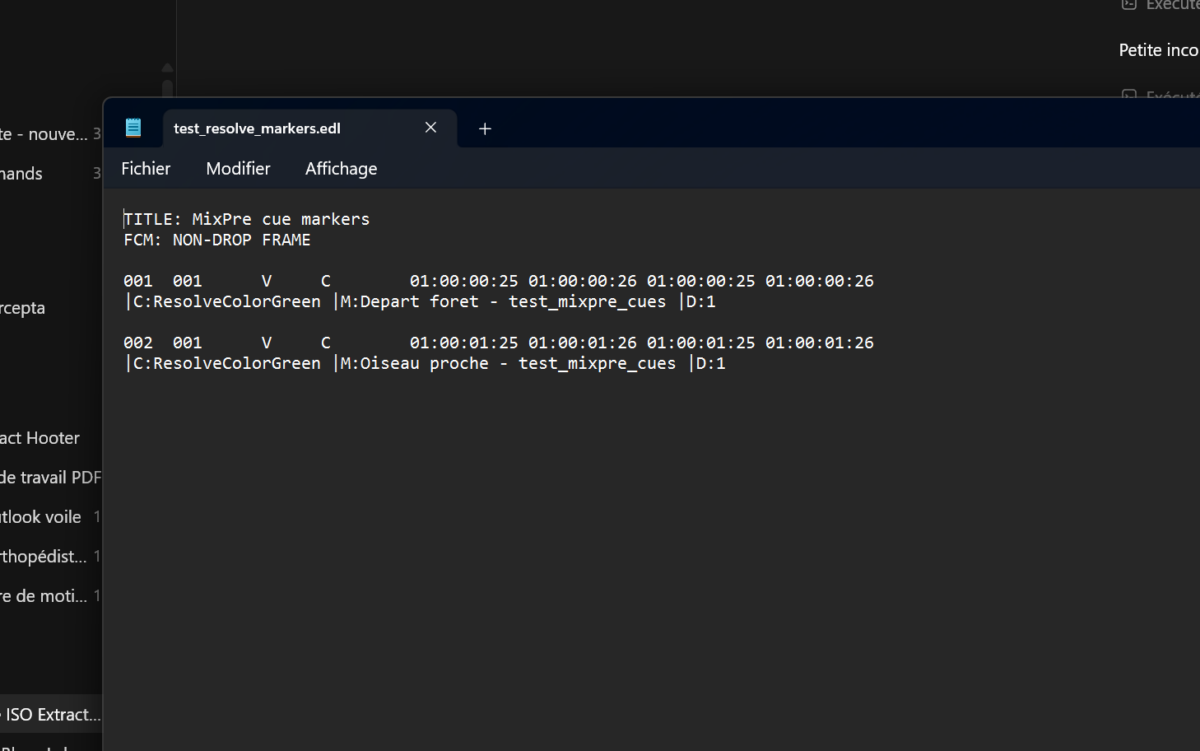
During a shoot, an Hooter production, or a sound capture, a cue marker can signal a key moment: a start point, a specific behavior, a passage to be located, or a take to isolate. The tool reads these markers from the MixPre WAVs, calculates their positions, and generates an EDL file that DaVinci Resolve or DaVinci Resolve Studio can import as timeline markers.
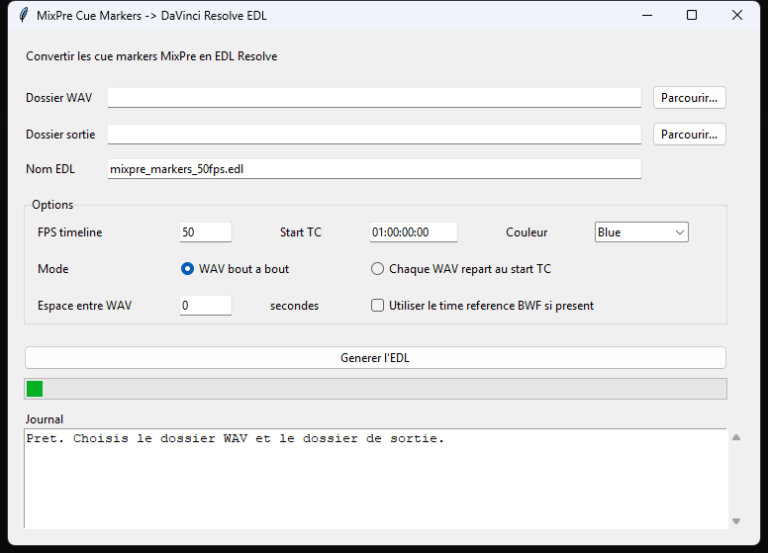
Conversion Options
The interface allows you to select the folder containing the MixPre WAVs, the output directory, and the name of the EDL file. It then provides the settings necessary to ensure the markers land in the correct position within Resolve:
- Timeline FPS: The frame rate of the Resolve timeline, e.g., 25 or 50 fps.
- Start TC: The starting timecode of the timeline, e.g., 01:00:00:00.
- Color: The color of the Resolve markers.
- Concatenation Mode: WAV files are placed one after another.
- Restart at Start TC Mode: Each file restarts from the initial timecode.
- Spacing between WAVs: Adds a fixed interval between concatenated files.
- BWF Time Reference: Uses the Broadcast WAV time reference when available.
- Log: Provides conversion feedback including the number of markers, number of WAVs, duration, and sampling rate.
What the tool reads in the WAVs
The script reads RIFF/RF64 chunks, retrieves cue points, labels, and notes from LIST/adtl metadata (where available), and converts these positions into EDL timecodes. It also cleans the text to ensure compatibility with the EDL format, which does not support certain special characters.
GitHub
The project is available on GitHub including the source code, a Windows launcher, and the first release: Download MixPre Cue Marker Extractor on GitHub.